Contact
Include your device model, iOS version and what happened.
How to play
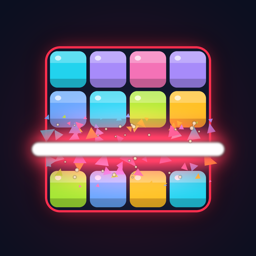
- Drag pieces from the tray onto the 8x8 board. Fill a row or column to clear it.
- Clear a line while the board is at least 50% full to trigger an Overload: every same-color block touching the line shatters. x2 at 50% full, x3 at 60%, x5 CLUTCH at 70%.
- Out of moves? You get one revive per run. It clears your 2 fullest rows and 2 fullest columns.
- Daily Brink: one shot a day at a board that starts 83% full.
- Challenge codes: tap Enter a Challenge Code on the home screen and paste a code to play a friend's exact board with the same 3 pieces.
Questions
When does the Daily Brink change?
At midnight in your device's time zone. Everyone on the same date gets the same board. You get one attempt per day, and your streak continues if you play on consecutive days.
How do I remove ads?
Tap the gear on the home screen, then Remove Ads. It is a one-time purchase that stops banner and interstitial ads and makes revives free.
I reinstalled the game or got a new iPhone. How do I get Remove Ads back?
Open Settings in the game and tap Restore Purchases while signed in with the same Apple ID you used to buy it.
Is my progress backed up?
No. Your scores, streak and saved run are stored only on your device. Deleting the app deletes them. A Remove Ads purchase can always be restored.
Can I reset my stats?
There is no reset option in the app. New game only discards your saved Endless run. Deleting and reinstalling the app clears everything.
The danger effects are too intense.
Turn on Chill mode in Settings. It removes the heartbeat, red pulse, flash and shake. Scoring is the same. Sound and haptics have their own switches.
My challenge code does not work.
Codes start with OC1-. You can paste a whole caption and the game finds the code in it. If it still fails, check for typos or ask your friend to copy it again.
How do I change my ad privacy choices?
If your region requires it, Settings shows a Privacy Options button. Tracking permission can be changed in iOS Settings > Privacy & Security > Tracking.
Privacy
No accounts. Your progress stays on your device. Ads are provided by Google AdMob. Read the full privacy policy.